


To activate your Simtaly eSIM, follow these simple steps. The eSIM is set up directly on your device – without a physical SIM card.
Requirements
Make sure the following requirements are met:
- Your device must be eSIM-capable (e.g. iPhone XS or newer, Samsung Galaxy S series, Google Pixel).
- You need an active internet connection (Wi-Fi or mobile data).
- You have received the activation email with the QR code or activation link from Simtaly.
Activation: Step by step
1. Open the activation email
Open the email from Simtaly containing your activation link or QR code.
2. Install the eSIM profile
Option A: Via activation link (iOS 17.4 or newer)
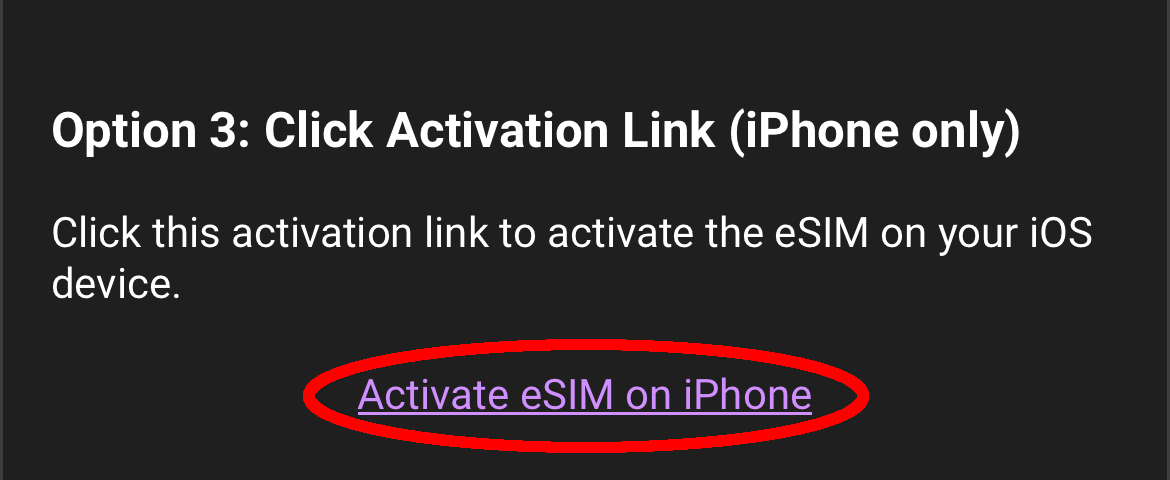
- Tap the activation link in the email.
- Your iPhone will automatically open the eSIM setup.
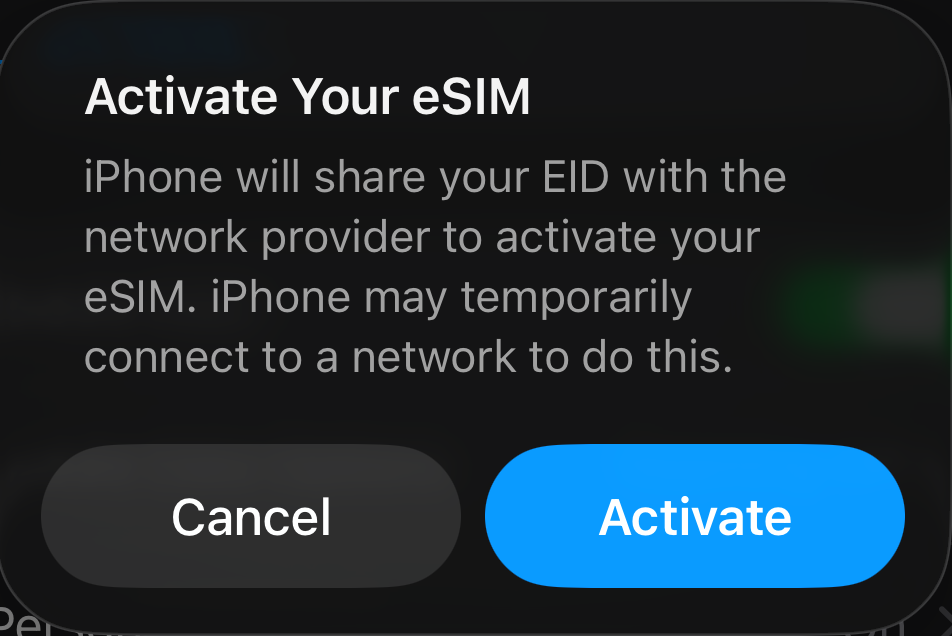
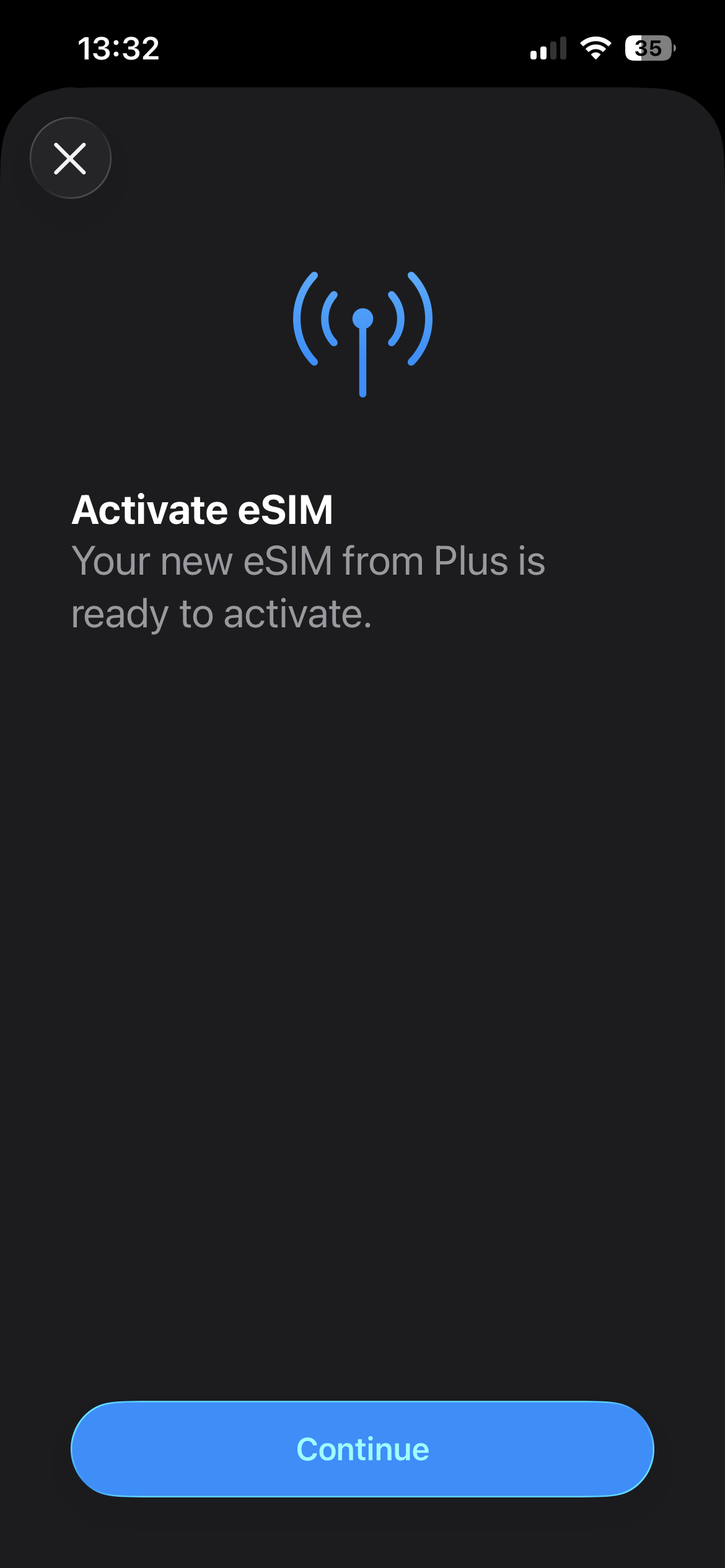
- Tap “Continue” or “Activate”.
- Wait until the eSIM profile has been downloaded.
- A message will appear confirming that the process was completed successfully.
- Tap “Done”.
Option B: Via QR code
For iPhone:
- Open Settings → Cellular.
- Tap “Add eSIM” or “Set up cellular”.
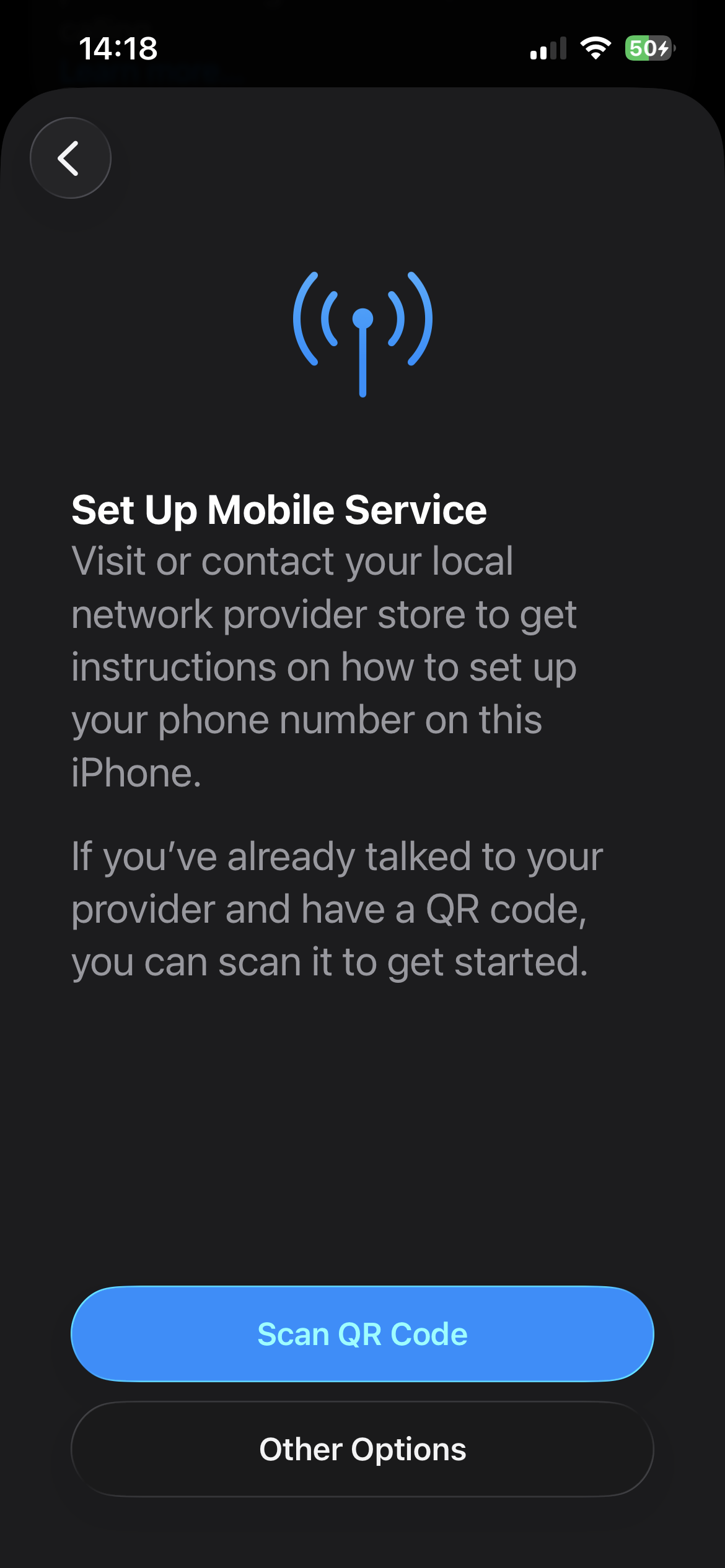
- Select “Use QR code”.
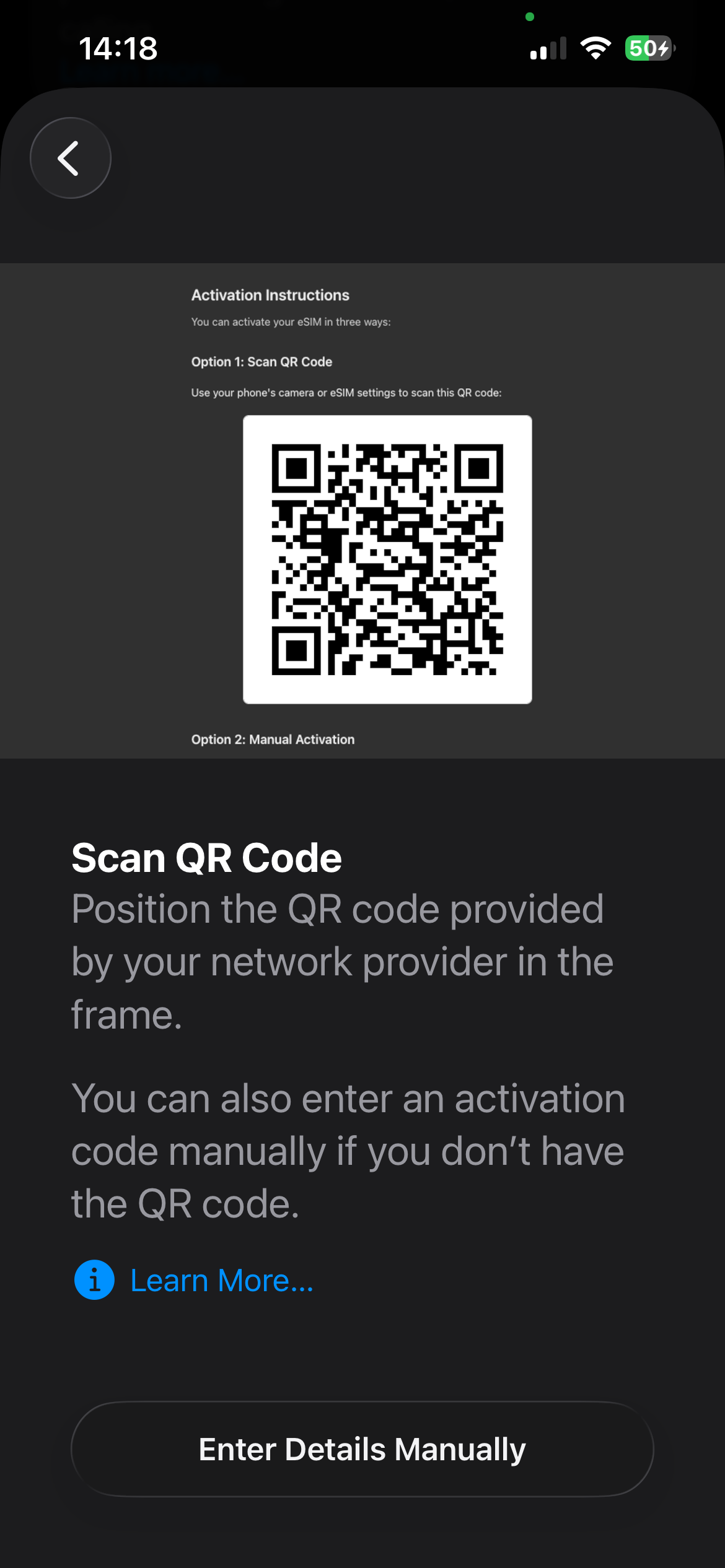
- Scan the QR code from the email or press and hold the image and select “Add eSIM”.
- Follow the instructions until confirmation.
For Android (Google Pixel / standard Android):
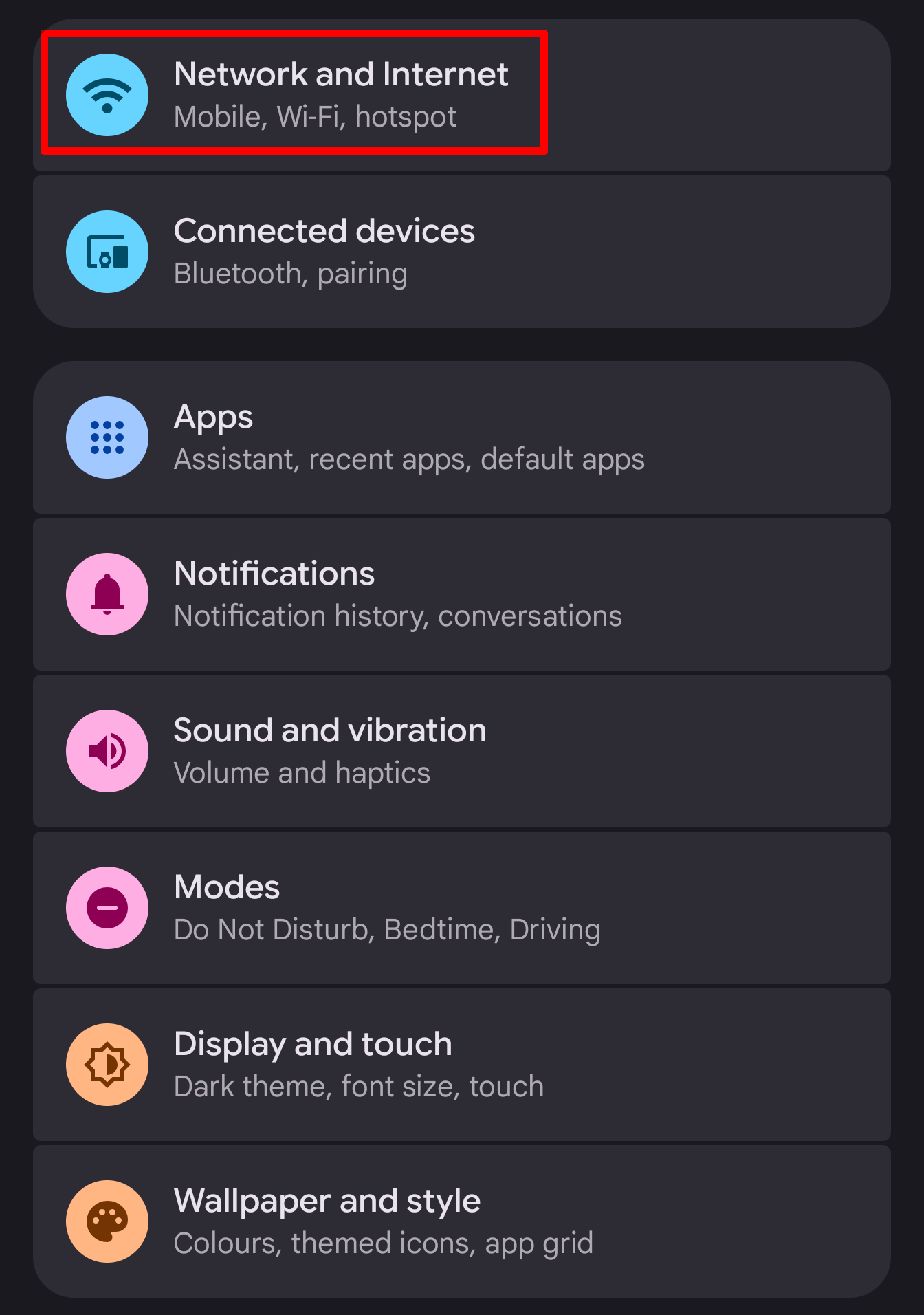
- Open Settings → Network & Internet.
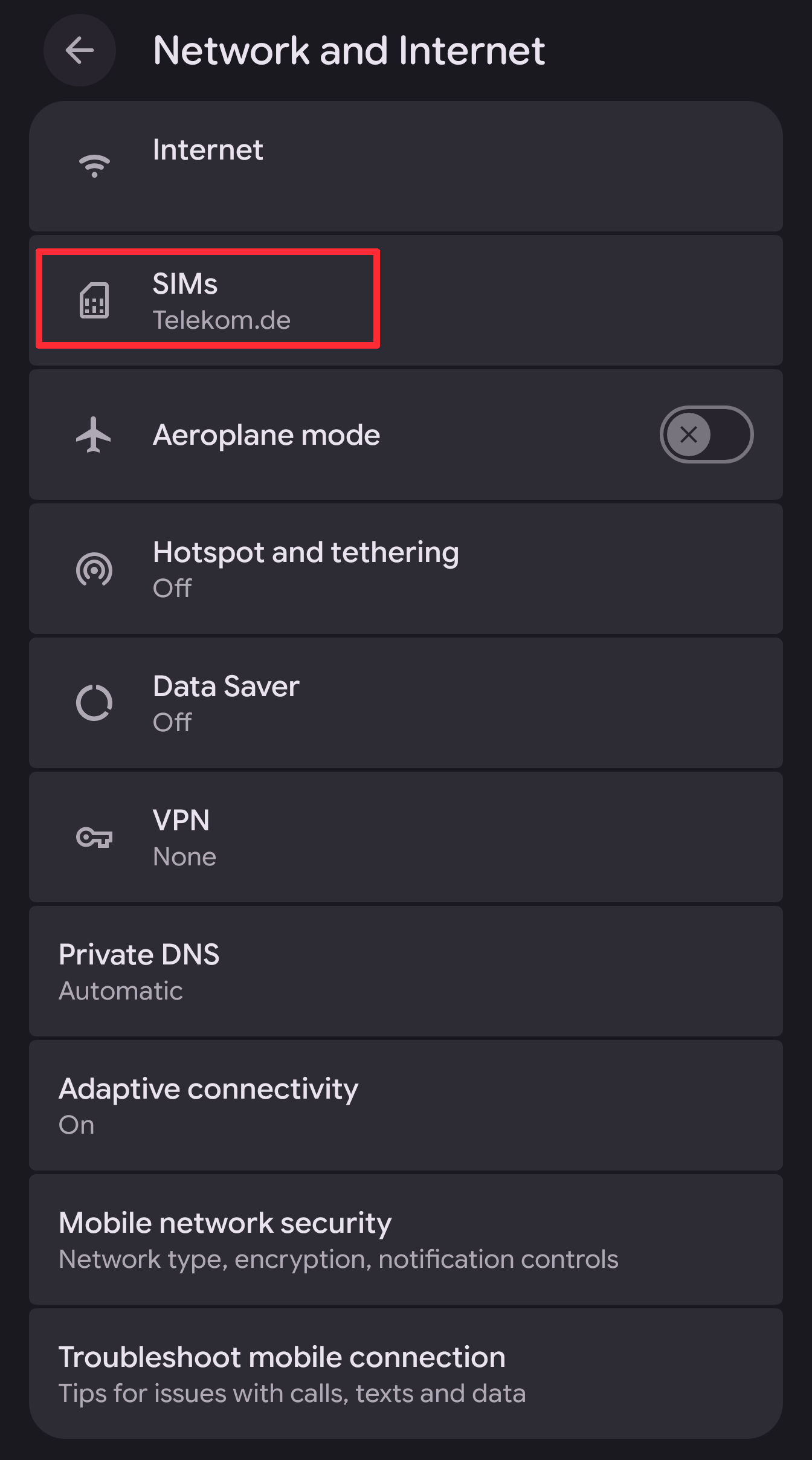
- Tap “SIMs”.
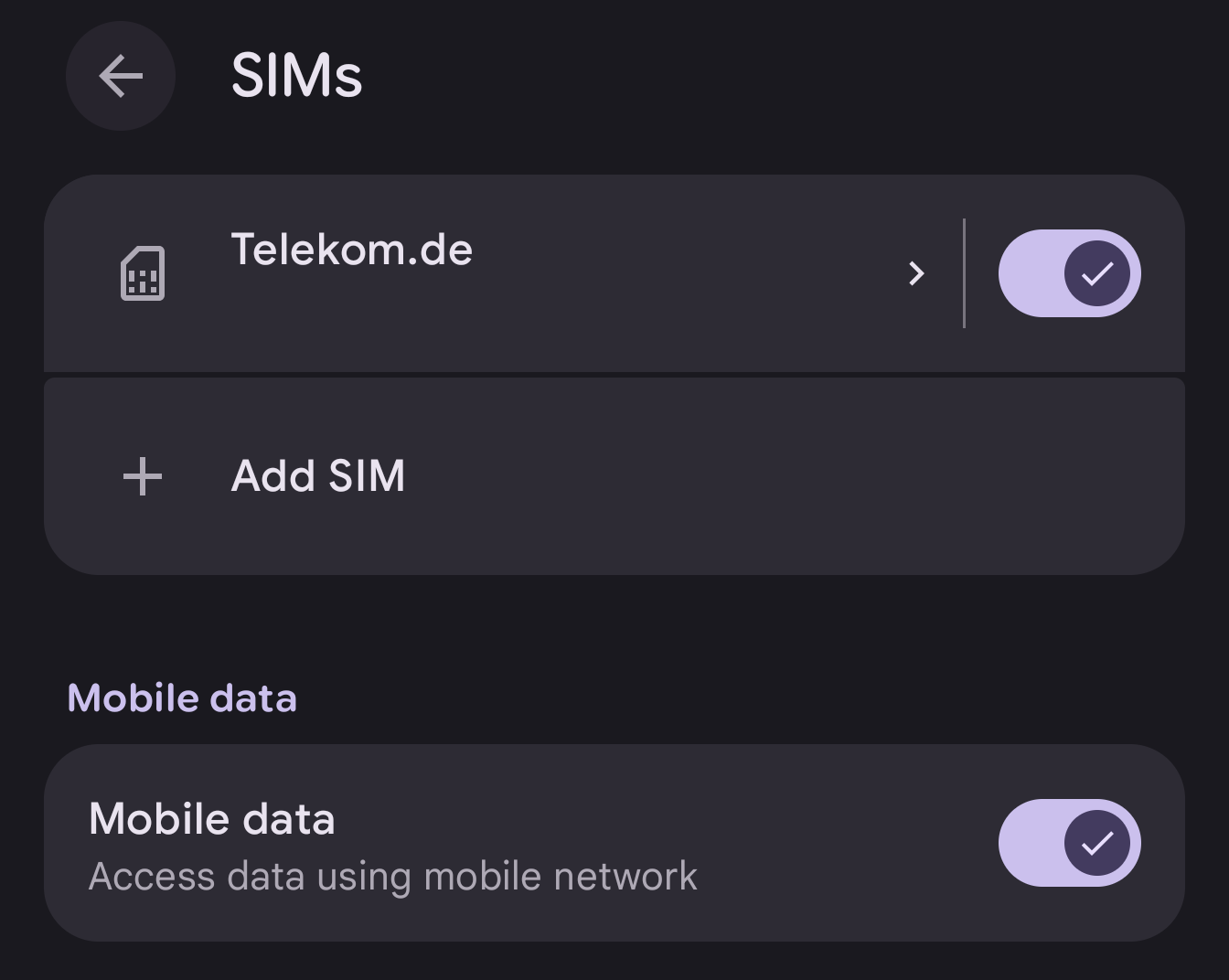
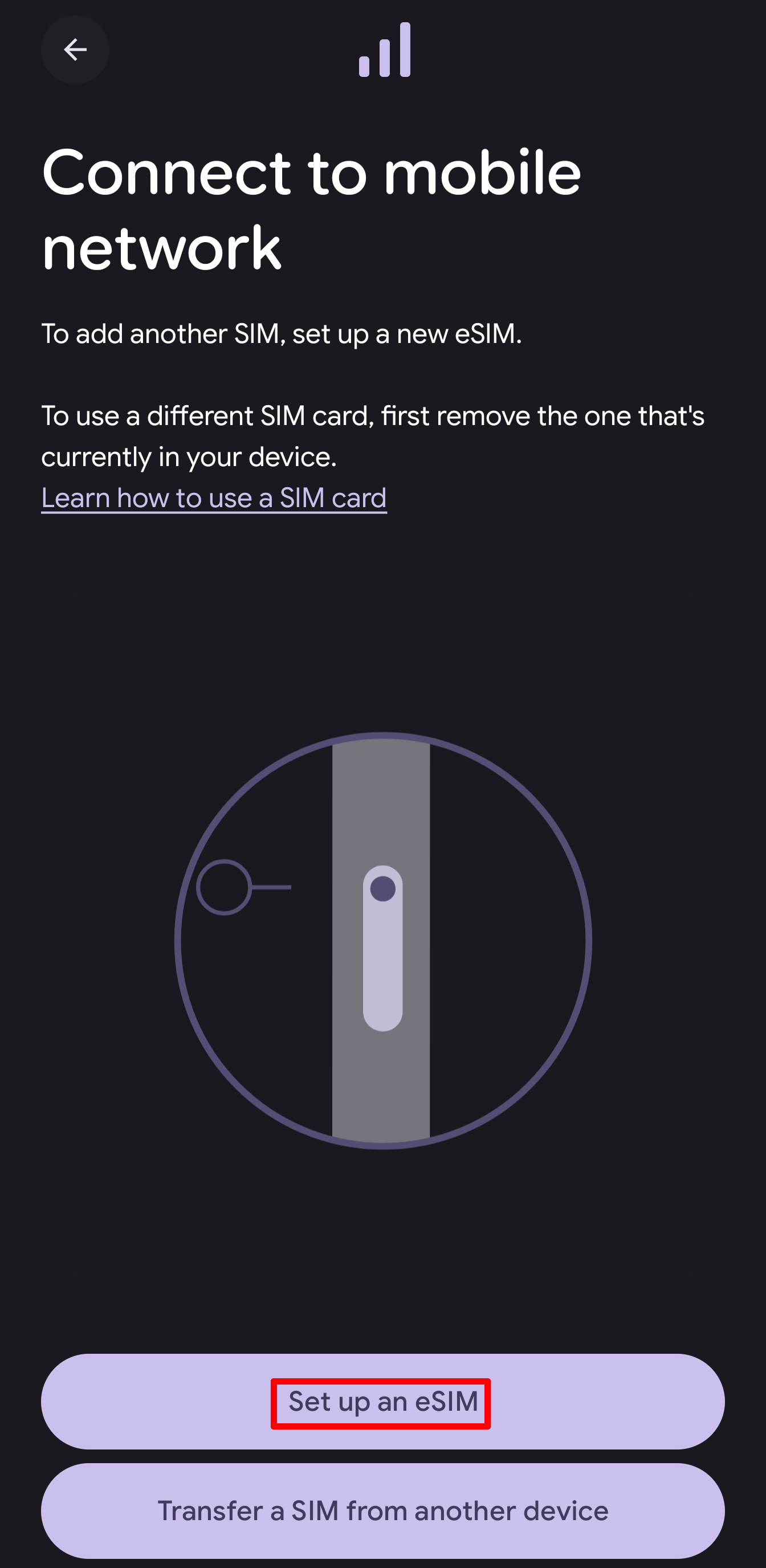
- Tap “Add SIM” → “Set up eSIM”.
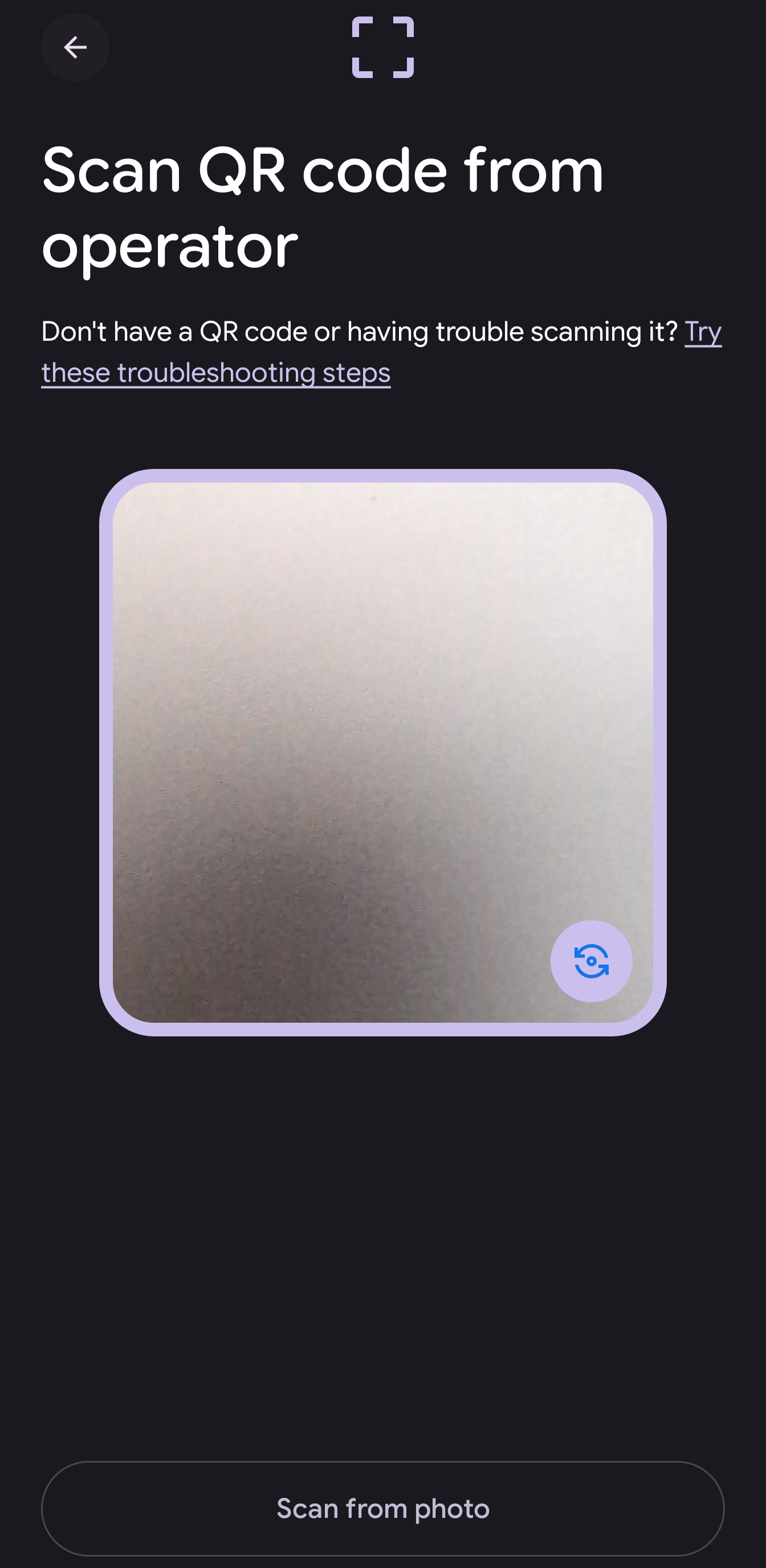
- Scan the QR code and follow the instructions.
3. Activate mobile data
After installation, you must set the eSIM as the active data connection:
iPhone:
- Open Settings → Connections or Network & Internet.
- Go to “Mobile networks” or “Cellular network”.
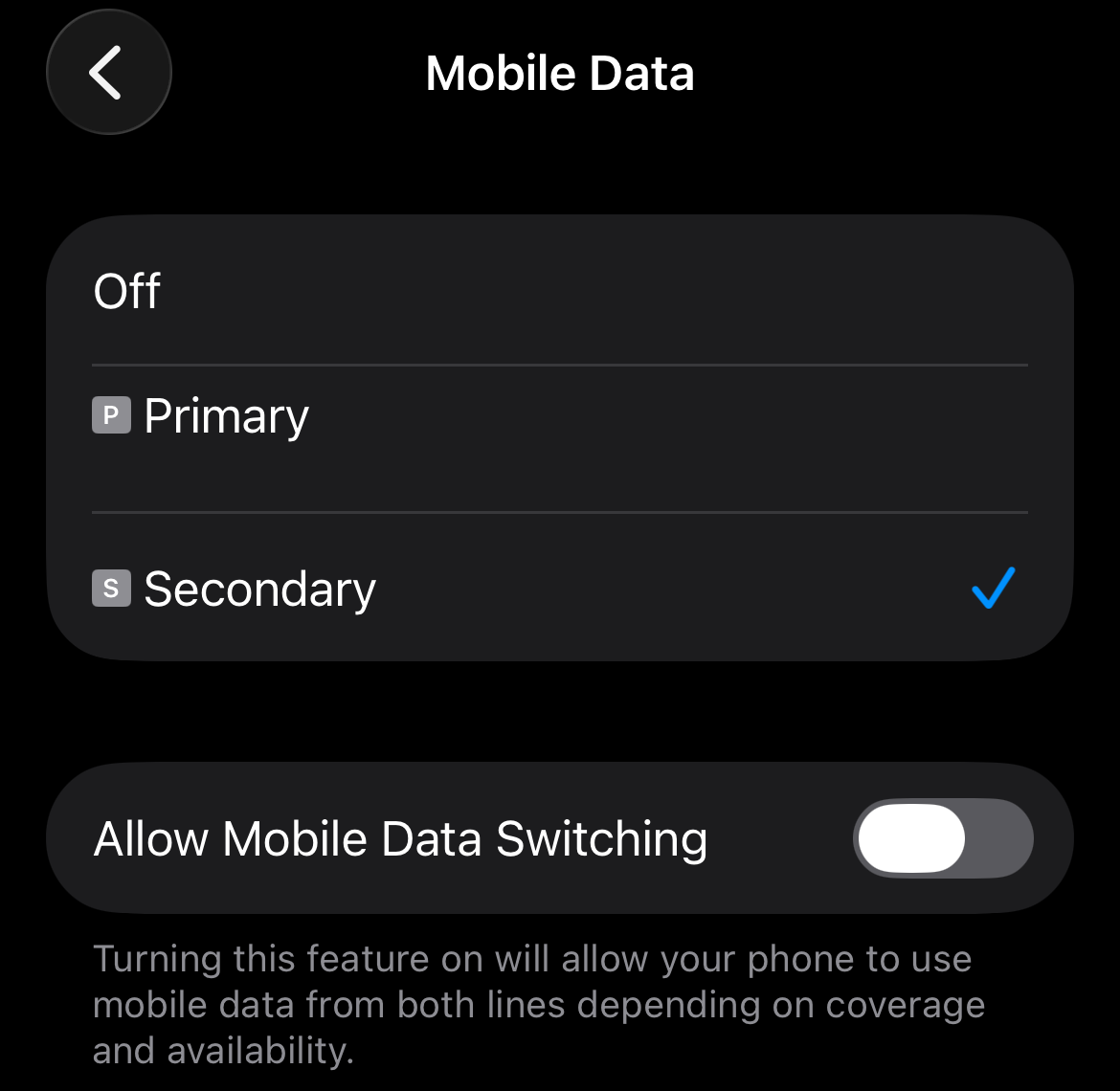
- Tap “Mobile Data” and select your Simtaly eSIM (If you already have an active SIM stored on your phone, this is likely the 2nd or secondary SIM card).
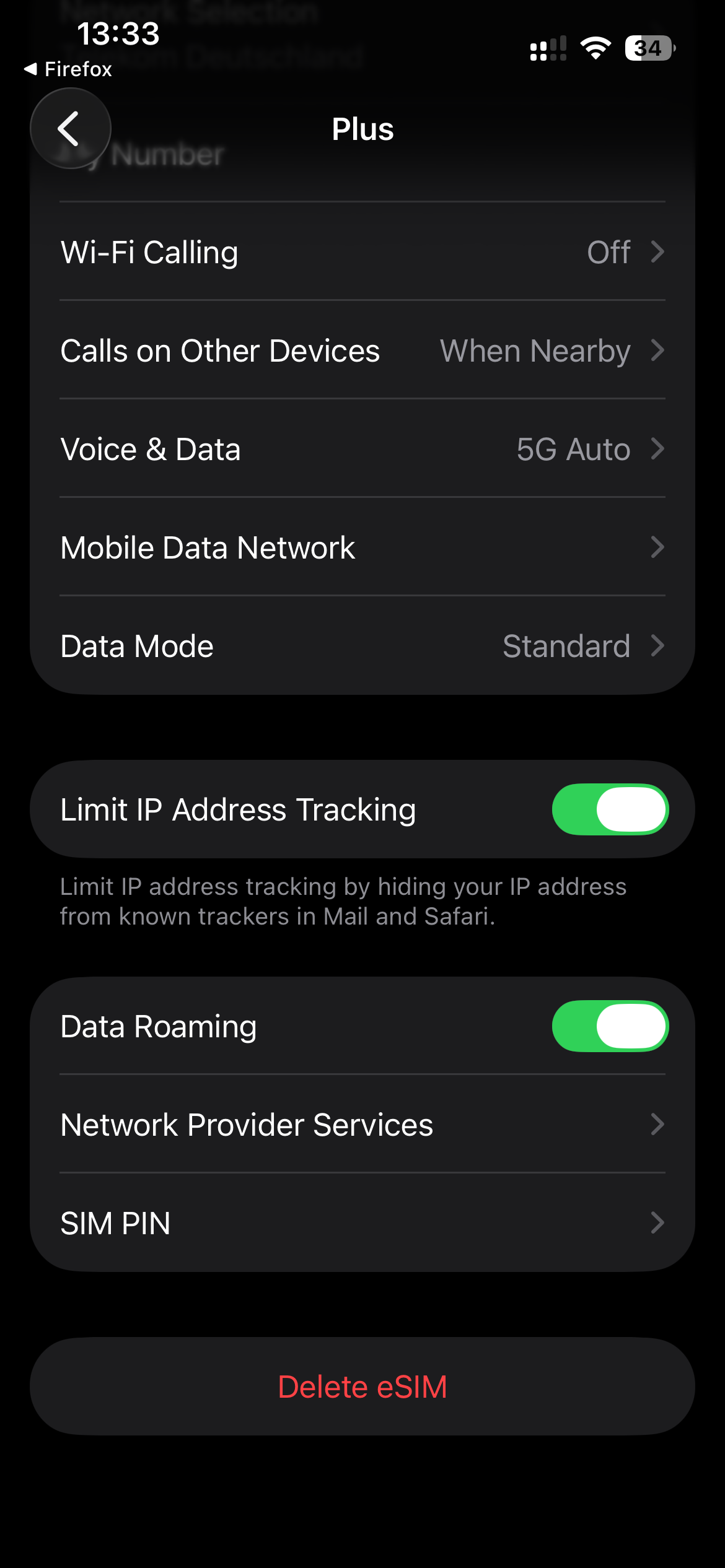
- Make sure data roaming is enabled (tap your eSIM → enable data roaming).
Android:
- Open Settings → Network & Internet → SIMs .
- Activate the Simtaly eSIM using the switch on the right-hand side
- Select the Simtaly eSIM (name may vary)
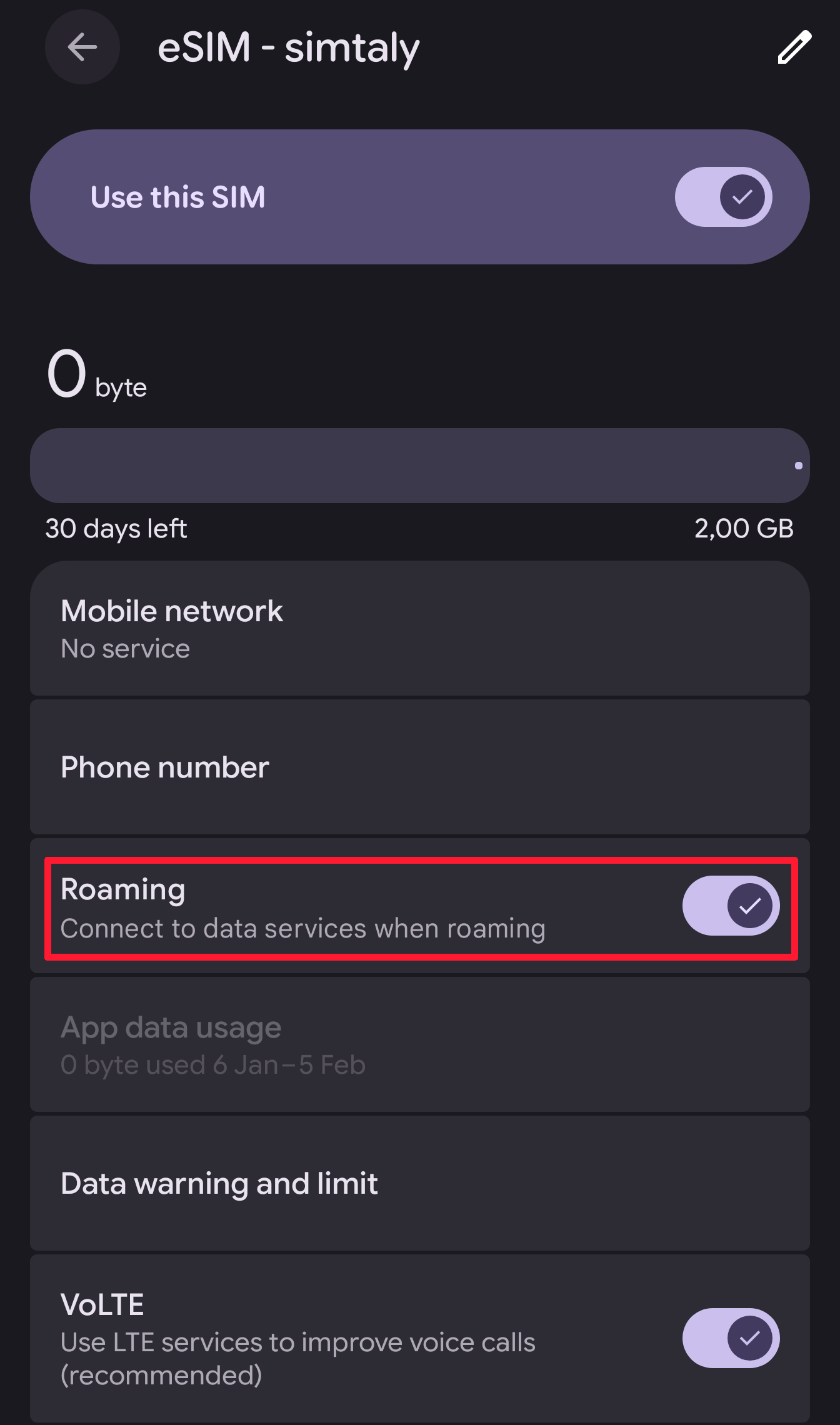
- Enable Mobile data and data roaming for the Simtaly eSIM.
4. Select Simtaly
Make sure Simtaly is set as the preferred data connection. As soon as your device connects to the network in the destination country, you will be online immediately.
Important notes
- Your old SIM card should have data roaming disabled to avoid unwanted charges.
- The eSIM will only become active once you are in the destination country.
- You can install the eSIM before traveling – the data package only starts with the first connection at the destination.
Problems with activation?
If activation does not work, contact us:
- Email: support@simtaly.com
- WhatsApp: WhatsApp Support